
Top Inventory Management Tips for Manufacturing Businesses
Effective inventory management helps manufacturers maintain accurate stock balances, prevent material shortages, reduce excess inventory, improve production scheduling, and protect working capital.
Manufacturing inventory is more complex than simply recording quantities received and shipped. Materials move through receiving, inspection, storage, Work in Process, outside processing, finished-goods inventory, and customer shipment. Each movement must be recorded accurately so Purchasing, Production, Quality, Accounting, and management can rely on the same information.
The following inventory-management practices help small and mid-sized manufacturers improve accuracy, reduce waste, strengthen traceability, and maintain better control over materials throughout the manufacturing lifecycle.
Reliable inventory management depends on accurate transactions, disciplined procedures, clear ownership, and an ERP system that connects purchasing, production, quality, shipping, and accounting.
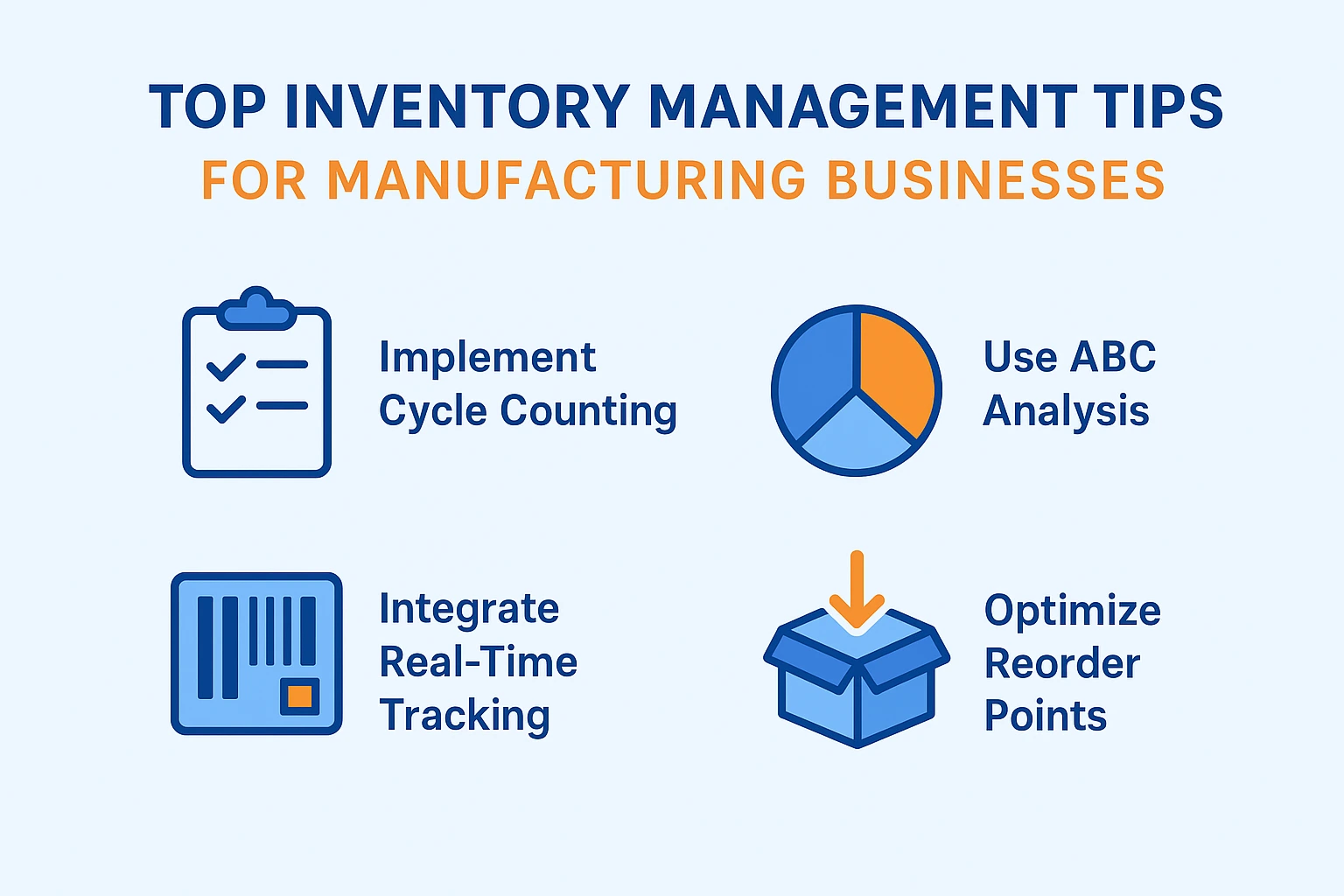
Manufacturing inventory best practices combine accurate transactions, cycle counting, ABC analysis, barcode tracking, planning, traceability, and controlled material movement.
Why Inventory Management Matters in Manufacturing
Inventory affects nearly every manufacturing function. Incorrect inventory data can cause Purchasing to order unnecessary material, Production to release jobs that cannot be completed, and Accounting to report inaccurate inventory values.
Manufacturing inventory may include:
- Raw materials
- Purchased components
- Subassemblies
- Work in Process
- Finished goods
- Packaging materials
- Maintenance, repair, and operating supplies
- Tooling and fixtures
- Customer-owned inventory
- Consigned inventory
- Inventory awaiting inspection
- Nonconforming or quarantined inventory
Production Continuity
Accurate inventory helps ensure that required materials are available before production begins.
Cash-Flow Control
Inventory planning reduces unnecessary purchases and limits capital tied up in excess stock.
Customer Delivery
Reliable material availability improves production scheduling and on-time delivery.
Financial Accuracy
Correct quantities and costs support accurate inventory valuation, WIP, and Cost of Goods Sold.
Product Traceability
Lot and serial controls connect purchased material with Work Orders and customer shipments.
Quality Control
Inventory status prevents rejected, expired, or unapproved material from being used in production.
1. Make Inventory Accuracy a Core Business Metric
Inventory accuracy compares the quantity recorded in the ERP system with the quantity physically available in the warehouse or production area.
An inventory record should accurately identify:
- Part number
- Revision
- Quantity
- Unit of measure
- Inventory location
- Lot, heat, batch, or serial number
- Inventory status
- Ownership
- Actual unit cost
- Receipt or transaction history
| Accuracy Problem | Possible Business Impact |
|---|---|
| Recorded Quantity Too High | Production releases work that cannot be completed and Purchasing fails to order needed material. |
| Recorded Quantity Too Low | Purchasing creates unnecessary orders and excess inventory. |
| Incorrect Location | Employees waste time searching for material and may report false shortages. |
| Incorrect Lot or Serial Number | Product genealogy and customer traceability become unreliable. |
| Incorrect Cost | Inventory valuation and Cost of Goods Sold become inaccurate. |
| Incorrect Status | Rejected, held, or expired material may appear available for production. |
Accuracy Requires Transaction Discipline
Inventory cannot remain accurate when materials are physically moved, consumed, returned, scrapped, or transferred without corresponding ERP transactions.
2. Implement a Cycle-Counting Program
Cycle counting verifies selected inventory throughout the year instead of relying only on one disruptive annual physical inventory.
A cycle-counting process may include:
- Selecting items or locations for counting
- Freezing or controlling transactions during the count
- Counting physical inventory
- Comparing physical and system quantities
- Investigating differences
- Approving adjustments
- Recording the reason for each variance
- Analyzing recurring problems
| Inventory Classification | Example Count Frequency |
|---|---|
| High-Value or Critical Items | Weekly or monthly |
| Moderate-Value Items | Monthly or quarterly |
| Lower-Value Items | Quarterly or semiannually |
| Problem Items or Locations | As frequently as required until control improves |
The purpose of cycle counting is not simply to correct balances. It is to identify and eliminate the processes causing inventory errors.
Learn more in our Cycle Counting Best Practices guide.
3. Use ABC Analysis to Prioritize Inventory Control
ABC Analysis classifies inventory according to annual consumption value, financial importance, operational criticality, or another defined business measure.
| Classification | Typical Characteristics | Recommended Control |
|---|---|---|
| Class A | High value, high criticality, or significant business impact | Frequent cycle counts, tighter controls, close supplier monitoring, and detailed review |
| Class B | Moderate value and operational importance | Regular review, scheduled counts, and standard replenishment controls |
| Class C | Lower individual value and often a large number of SKUs | Simplified controls, less-frequent counting, and efficient replenishment |
ABC classifications can influence:
- Cycle-count frequency
- Receiving-inspection requirements
- Approval levels
- Replenishment methods
- Safety-stock policy
- Supplier monitoring
- Storage controls
- Inventory reporting
Learn more in our ABC Analysis for Inventory Management guide.
4. Use Barcode Scanning for Inventory Transactions
Barcode scanning can reduce manual entry and help employees identify the correct item, location, lot, serial number, Work Order, and transaction type.
Barcodes may be used for:
- Purchase Order receiving
- Inventory location assignment
- Lot and serial-number entry
- Material picking
- Work Order material issues
- Location transfers
- Material returns
- Cycle counting
- Finished-goods receipts
- Customer shipments
Lot, or Serial
Quantity
Transaction
Inventory
Scanning Should Validate the Transaction
The ERP system should confirm that the scanned item, location, lot, serial number, Work Order, or Purchase Order is valid for the selected transaction.
5. Standardize Part Numbers and Descriptions
Duplicate, inconsistent, or unclear item records create unnecessary inventory and purchasing errors.
A controlled Item Master should define:
- Unique internal part number
- Clear description
- Revision level
- Product or item type
- Make-or-buy classification
- Inventory unit of measure
- Purchasing unit of measure
- Approved manufacturers
- Approved suppliers
- Supplier part numbers
- Lead times
- Costing information
- Lot and serial requirements
- Compliance attributes
Search Before Creating a New Item
Employees should search the Item Master by part number, description, manufacturer part number, specification, and supplier part number before creating a new record.
Learn more in our Item Master Data Management guide.
6. Control Inventory Locations
Inventory location control helps employees find material quickly and prevents the same quantity from being counted in multiple places.
Location structures may include:
- Warehouse
- Stockroom
- Aisle
- Rack
- Shelf
- Bin
- Receiving inspection
- Quality hold
- Work in Process
- Outside processing
- Finished goods
- Shipping staging
| Location Control | Business Benefit |
|---|---|
| Unique Location Codes | Prevents ambiguity and simplifies scanning. |
| Controlled Transfers | Maintains visibility when inventory moves. |
| Location Capacity | Prevents overcrowding and supports warehouse planning. |
| Restricted Locations | Separates held, rejected, customer-owned, or controlled material. |
| Location Cycle Counts | Allows systematic verification by physical area. |
7. Separate Inventory by Status
Quantity on hand should not automatically be treated as available for production or shipment.
| Inventory Status | Meaning |
|---|---|
| Available | Approved for normal production or shipment. |
| Awaiting Inspection | Received but not yet accepted. |
| Allocated | Reserved for a specific Work Order, customer order, or requirement. |
| Quality Hold | Temporarily unavailable pending review. |
| Rejected | Does not meet requirements and cannot be used without disposition. |
| Expired | Requires evaluation before use or disposal. |
| Customer-Owned | Available only for the applicable customer or program. |
| Consigned | Physically stored but owned by another organization. |
MRP, kitting, allocation, and production scheduling should use eligible available inventory rather than total quantity on hand.
8. Strengthen Purchase Order Receiving
Inventory accuracy begins when purchased material enters the facility.
Receiving should verify:
- Supplier
- Purchase Order
- Purchase Order line
- Part number
- Manufacturer part number
- Revision
- Quantity received
- Unit of measure
- Packaging condition
- Lot, heat, batch, date code, or serial number
- Expiration date
- Required certifications
- Country of origin
- Inspection requirement
Delivery
Verification
Identification
Direct Acceptance
Inventory
Do Not Place Unverified Material Directly into Available Inventory
Material requiring inspection, certification review, or customer approval should remain unavailable until the required acceptance is recorded.
9. Maintain Accurate Supplier and Approved-Source Data
Supplier records should provide more than contact information. They should help Purchasing select qualified and appropriate sources.
Supplier and purchasing data may include:
- Approval status
- Approved products or services
- Manufacturer relationships
- Supplier part numbers
- Lead time
- Minimum order quantity
- Order multiples
- Pricing history
- Quality certifications
- On-time delivery performance
- Defect history
- Corrective-action status
- Last evaluation date
Learn more in our Approved Vendor List guide.
10. Establish Accurate Reorder Points
A reorder point identifies when replenishment action should begin.
Reorder points should consider:
- Average demand
- Demand variability
- Supplier lead time
- Lead-time variability
- Safety stock
- Minimum order quantity
- Order multiples
- Customer commitments
- Production usage
- Storage capacity
| Planning Error | Possible Result |
|---|---|
| Reorder Point Too Low | Frequent stockouts and emergency purchasing. |
| Reorder Point Too High | Excess stock, higher carrying cost, and increased obsolescence risk. |
| Lead Time Not Updated | Orders are released too late or unnecessarily early. |
| Demand Pattern Ignored | Seasonal or changing usage creates repeated shortages or excess. |
Review Planning Parameters Regularly
Reorder points, safety stock, lead times, and order quantities should be updated as demand and supplier performance change.
11. Use Material Requirements Planning
Reorder points are useful for some items, but manufacturing demand often depends on customer orders, forecasts, Bills of Materials, and production schedules.
MRP evaluates:
- Customer Sales Orders
- Delivery schedules
- Forecasts
- Bills of Materials
- Available inventory
- Allocated inventory
- Inventory awaiting inspection
- Open Purchase Orders
- Open Work Orders
- Safety stock
- Purchasing and manufacturing lead times
MRP can recommend:
- New Purchase Orders
- New Work Orders
- Expediting existing supply
- Deferring supply that is arriving too early
- Increasing or reducing quantities
- Cancelling unneeded supply
Reorder points react to inventory levels. MRP plans material according to time-phased manufacturing demand.
Learn more in our MRP Software for Manufacturers guide.
12. Use Safety Stock Carefully
Safety stock protects against uncertainty, but excessive safety stock can hide planning, supplier, and inventory-control problems.
Safety stock may be appropriate when:
- Demand varies significantly
- Supplier delivery is inconsistent
- Lead times are long
- The item is production critical
- Quality-rejection risk is high
- Supply has limited availability
- Customer service requirements are strict
Safety Stock Is Not a Replacement for Accurate Planning
Inventory buffers should be based on documented risk and performance rather than informal estimates or fear of shortages.
13. Use FIFO Inventory Rotation
First-In, First-Out inventory control consumes older eligible inventory before newer inventory.
FIFO can help manufacturers:
- Reduce aging inventory
- Reduce expiration risk
- Maintain date-code rotation
- Preserve actual receipt costs
- Improve lot traceability
- Reduce obsolescence
- Calculate accurate Cost of Goods Sold
Inventory Layer
Shipment Issue
Cost Applied
Inventory Updated
Learn more in our FIFO Inventory Costing guide.
14. Maintain Lot and Serial-Number Traceability
Traceability connects purchased materials with production and customer shipments.
A complete genealogy may include:
- Supplier
- Purchase Order
- Receipt
- Lot, heat, batch, date code, or serial number
- Inventory location
- Work Order
- Materials consumed
- Employees and operations
- Inspection and testing
- Finished-product lot or serial number
- Customer shipment
Receipt
or Serial
Lot or Serial
Shipment
Learn more in our Lot and Serial Number Traceability guide.
15. Control Work Order Material Transactions
Work Orders should use controlled material transactions rather than informal physical movement.
Work Order inventory transactions may include:
- Material allocation
- Material picking
- Material issue
- Additional material issue
- Material substitution
- Unused material return
- Scrap transaction
- Work in Process transfer
- Finished-goods completion
Reconcile Materials Before Closing the Work Order
The organization should compare planned, issued, consumed, returned, scrapped, and remaining quantities before the Work Order is closed.
16. Record Scrap and Rework Accurately
Scrap and rework affect inventory, production capacity, Work Order cost, and customer delivery.
The transaction should identify:
- Work Order
- Operation
- Part number
- Quantity affected
- Lot or serial number
- Defect reason
- Material value
- Labor value
- Disposition
- Approver
- Corrective action when required
Do Not Hide Production Loss Through Inventory Adjustments
Generic inventory adjustments may correct quantities but fail to preserve the reason, Work Order, defect, labor, and financial impact associated with the loss.
17. Identify Excess, Obsolete, and Stagnant Inventory
Inventory should be reviewed regularly for items without current or projected demand.
Review criteria may include:
- Last receipt date
- Last issue date
- Current quantity
- Current demand
- Forecasted demand
- Where-used relationships
- Product-revision status
- Expiration date
- Customer ownership
- Current inventory value
| Inventory Condition | Possible Action |
|---|---|
| Excess but Still Active | Reduce future purchases or use inventory before newer supply. |
| Obsolete | Evaluate return, resale, rework, customer approval, or write-off. |
| Slow Moving | Review reorder points, safety stock, and demand assumptions. |
| Expired | Quarantine and evaluate according to quality procedures. |
| No Known Demand | Review where-used, open orders, forecasts, and product status. |
18. Audit Inventory Transactions and Adjustments
Inventory adjustments should be controlled because they directly affect operational and financial records.
An adjustment record should include:
- Item
- Location
- Lot or serial number
- Original quantity
- Adjusted quantity
- Difference
- Reason code
- User
- Date and time
- Approval
- Related Work Order, receipt, shipment, or count
- Financial impact
Frequent unexplained inventory adjustments are usually evidence of an underlying process problem.
19. Train Employees on Inventory Procedures
Employees should understand not only which inventory transaction to perform but also why the transaction matters.
Training may include:
- Receiving procedures
- Part and revision identification
- Location control
- Lot and serial-number entry
- Barcode scanning
- Material picking
- Work Order issues
- Material returns
- Cycle counting
- Scrap reporting
- Quality-hold procedures
- Customer-owned inventory
- Adjustment approval
Make Procedures Easy to Follow
Inventory transactions should be clearly defined, accessible, and consistent. Complex or unnecessary data entry encourages employees to bypass the system.
20. Monitor Inventory KPIs
| KPI | What It Measures |
|---|---|
| Inventory Accuracy | Recorded quantity compared with verified physical quantity. |
| Cycle Count Accuracy | Accuracy of items selected for scheduled counting. |
| Inventory Turnover | How efficiently inventory investment supports sales and production. |
| Days Inventory Outstanding | Approximate number of days inventory remains on hand. |
| Stockout Rate | Frequency of demand that cannot be satisfied from available inventory. |
| Material Shortage Rate | Frequency of shortages affecting Work Orders. |
| Excess Inventory Value | Value exceeding current and projected demand. |
| Obsolete Inventory Value | Value associated with discontinued, expired, or unusable items. |
| Supplier On-Time Delivery | Supplier performance against confirmed receipt dates. |
| Receiving Accuracy | Correctness of quantities, parts, revisions, and documentation received. |
| Adjustment Frequency | Number and value of manual inventory corrections. |
| Inventory Carrying Cost | Storage, insurance, capital, handling, shrinkage, and obsolescence cost. |
Common Manufacturing Inventory Problems
| Problem | Possible Result | Recommended Control |
|---|---|---|
| Material Moved Without a Transaction | System location and quantity become inaccurate. | Require controlled transfers and scanning. |
| Material Consumed Without Work Order Issue | Inventory is overstated and Work Order cost understated. | Use Work Order material-issue transactions. |
| Duplicate Item Records | Demand and stock are split across multiple part numbers. | Use Item Master governance and duplicate-item searches. |
| Inventory Adjustments Without Reasons | Recurring process problems remain unidentified. | Use controlled reason codes and approvals. |
| Held Inventory Treated as Available | Production is planned using material that cannot be used. | Separate inventory by status. |
| Incorrect Units of Measure | Purchasing, inventory, BOM, and Work Order quantities become inconsistent. | Maintain controlled UOM conversions. |
| Old Purchase Orders Remain Open | MRP assumes nonexistent supply will arrive. | Review and close outdated supply records. |
| Annual Count Is the Only Control | Errors accumulate for months before detection. | Use ongoing cycle counting. |
Manufacturing Inventory Management Checklist
- Use one controlled Item Master.
- Standardize part numbers, descriptions, revisions, and units of measure.
- Record every receipt, transfer, issue, return, scrap, completion, and shipment.
- Separate available inventory from inspection, hold, rejected, and allocated inventory.
- Use defined inventory locations.
- Implement cycle counting.
- Use ABC Analysis to prioritize control.
- Maintain current supplier and approved-source data.
- Use realistic lead times.
- Maintain appropriate reorder points and safety stock.
- Use MRP for dependent manufacturing demand.
- Use FIFO inventory rotation where appropriate.
- Maintain lot and serial traceability.
- Control Work Order material issues and returns.
- Record scrap and rework through production transactions.
- Review excess, obsolete, and stagnant inventory.
- Use barcode scanning where it improves speed and accuracy.
- Control and approve inventory adjustments.
- Train employees on inventory procedures.
- Monitor accuracy, turnover, shortages, adjustments, and carrying costs.
How Inventory Management Integrates with Manufacturing ERP
| ERP Process | Inventory Relationship |
|---|---|
| Customer Orders | Create demand for finished goods and production materials. |
| Item Master | Defines inventory controls, units, classifications, planning, and traceability. |
| Bills of Materials | Define the components required by manufactured products. |
| MRP | Uses available and expected inventory to calculate supply requirements. |
| Purchasing | Creates incoming material supply. |
| Receiving | Creates inventory quantities, costs, lots, serials, and inspection records. |
| Work Orders | Allocate, issue, consume, return, and complete inventory. |
| Quality Management | Controls inspection, hold, rejection, release, and nonconformance status. |
| Production Scheduling | Uses material readiness to determine whether Work Orders can proceed. |
| Shipping | Consumes finished-goods inventory and fulfills customer orders. |
| Costing | Uses actual inventory costs for Work Orders and Cost of Goods Sold. |
| Accounting | Records inventory assets, WIP, Finished Goods, adjustments, and COGS. |
Manufacturing Inventory Management with SimpleManufacturing™
SimpleManufacturing™ connects Item Master data, purchasing, receiving, inspection, inventory, MRP, Work Orders, production scheduling, quality, traceability, shipping, costing, and accounting.
| SimpleManufacturing™ Capability | Business Benefit |
|---|---|
| Item Master Control | Centralizes part numbers, revisions, classifications, suppliers, units, and planning data. |
| Receiving Transactions | Records incoming quantities, costs, lots, serials, suppliers, and Purchase Orders. |
| Receiving Inspection | Prevents unaccepted material from becoming available. |
| Inventory Locations | Tracks warehouses, stockrooms, bins, WIP, quality, and shipping areas. |
| FIFO Cost Layers | Preserves actual acquisition cost and receipt history. |
| Lot and Serial Tracking | Connects material receipts, Work Orders, finished products, and shipments. |
| MRP | Calculates BUY and MAKE requirements using current demand and supply. |
| Work Order Allocation | Reserves material for production and identifies shortages. |
| Material Issues and Returns | Keeps inventory, WIP, traceability, and Work Order cost current. |
| Cycle Counting | Supports scheduled counts, reconciliation, and adjustments. |
| Quality Status | Controls inspection, hold, rejected, expired, and approved inventory. |
| Inventory Cost Ledger | Preserves the financial history of inventory transactions. |
| Shipping Integration | Consumes finished-goods FIFO inventory and records Cost of Goods Sold. |
| Audit History | Records who performed inventory transactions and when they occurred. |
One Inventory Record from Receiving Through Shipment
SimpleManufacturing™ keeps quantities, locations, status, cost, lot and serial traceability, Work Order usage, finished-goods completion, and customer shipments connected within one manufacturing ERP system.
Frequently Asked Questions About Manufacturing Inventory Management
What is manufacturing inventory management?
Manufacturing inventory management controls the materials, components, Work in Process, finished goods, locations, statuses, costs, and transactions required to support production and customer demand.
Why is inventory accuracy important?
Accurate inventory helps Purchasing, MRP, Production, Quality, Scheduling, Shipping, and Accounting make reliable decisions.
What is cycle counting?
Cycle counting is the scheduled verification of selected inventory throughout the year rather than relying only on a complete annual physical inventory.
What is ABC Analysis?
ABC Analysis classifies inventory according to value, usage, criticality, or business impact so control efforts can focus on the most important items.
How do barcodes improve inventory accuracy?
Barcodes reduce manual identification and entry by allowing employees to scan items, locations, lots, serial numbers, Work Orders, and transaction references.
What is available inventory?
Available inventory is material approved for normal use and not otherwise restricted, rejected, held, expired, or allocated.
What is allocated inventory?
Allocated inventory is quantity reserved for a specific Work Order, customer order, or planning requirement.
What is safety stock?
Safety stock is inventory maintained above expected demand to protect against variability in demand, supplier delivery, quality, or lead time.
What is a reorder point?
A reorder point is the inventory level that triggers replenishment based on demand, lead time, and safety-stock policy.
What is the difference between reorder-point planning and MRP?
Reorder-point planning reacts to inventory levels. MRP calculates time-phased supply requirements from customer demand, forecasts, BOMs, inventory, Purchase Orders, and Work Orders.
What is FIFO inventory management?
FIFO uses the oldest eligible inventory first and retains each layer’s actual receipt cost and traceability.
How does lot tracking work?
Lot tracking assigns a common identity to a group of received or manufactured units and records how those units move through inventory and production.
How does serial-number tracking work?
Serial tracking assigns a unique identity to an individual unit and preserves its material, production, quality, and shipment history.
How are materials issued to Work Orders?
Material-issue transactions transfer quantity and cost from available inventory into Work in Process while preserving the item, location, lot, serial number, and Work Order relationship.
Why should scrap be recorded separately?
Scrap transactions preserve the quantity, cost, Work Order, defect reason, and production impact of unusable material.
What is excess inventory?
Excess inventory is quantity exceeding current and projected demand based on defined planning criteria.
What is obsolete inventory?
Obsolete inventory is material no longer expected to be used because of product changes, discontinued demand, expiration, or another business condition.
Which inventory KPIs should manufacturers track?
Common KPIs include inventory accuracy, cycle-count accuracy, turnover, stockout rate, shortage rate, excess value, obsolete value, carrying cost, and adjustment frequency.
How does SimpleManufacturing™ manage inventory?
SimpleManufacturing™ connects receiving, inspection, inventory locations, FIFO cost layers, lots, serials, MRP, Work Orders, quality, cycle counting, shipping, costing, and accounting.
Improve Inventory Accuracy, Visibility, and Control
Effective manufacturing inventory management requires more than periodic physical counts. It depends on controlled receiving, accurate Item Master data, clear locations, inventory status, cycle counting, traceability, planning, disciplined Work Order transactions, and ongoing performance measurement.
Manufacturers that consistently record inventory movement gain better material availability, more reliable MRP results, fewer production shortages, lower carrying costs, stronger traceability, and more accurate financial reporting.
Receive, Track, Plan, Issue, Count, and Improve
A connected inventory-management process provides every department with the same current information about quantities, locations, availability, demand, supply, ownership, traceability, and cost.
SimpleManufacturing™ provides integrated inventory management for small and mid-sized manufacturers requiring purchasing, receiving, inspection, FIFO costing, MRP, Work Orders, lot and serial traceability, cycle counting, quality management, shipping, and accounting.